
Translate manga, manhwa and novels without leaving the tab
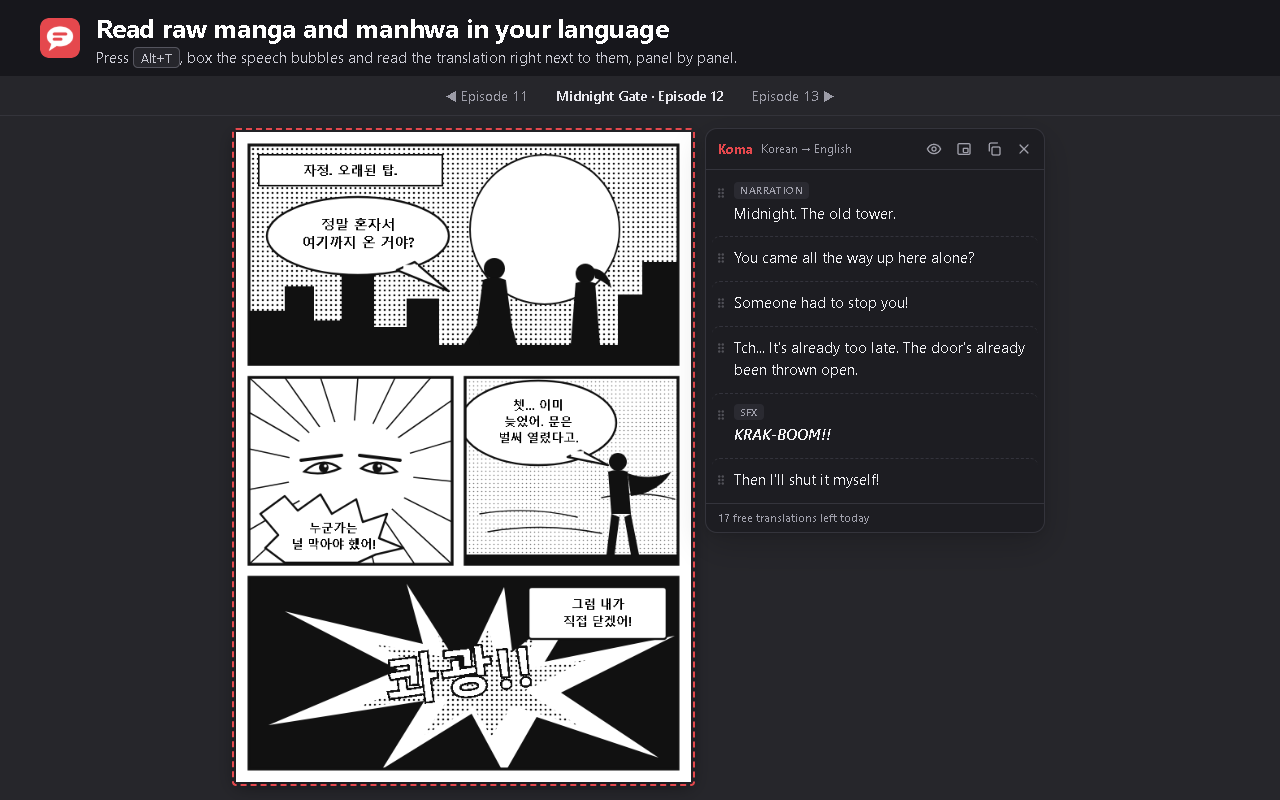
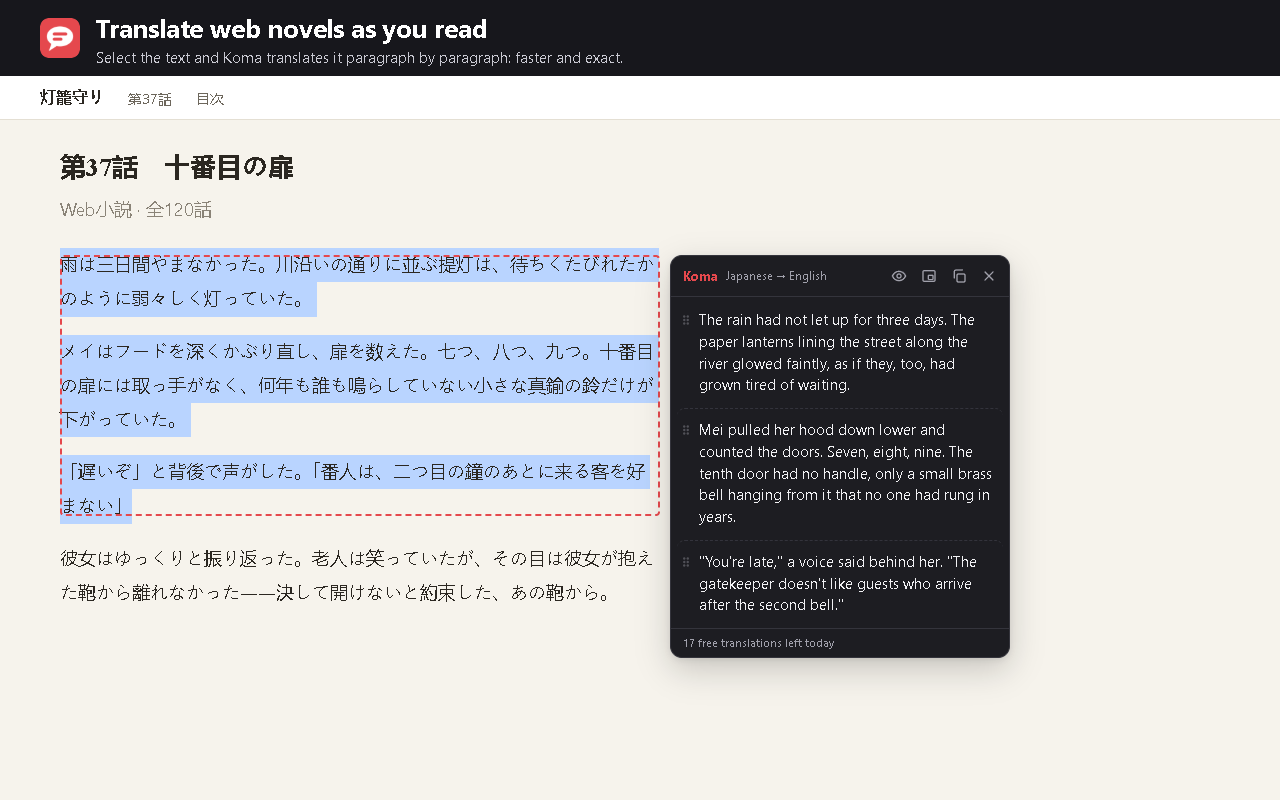
Press Alt+T, box the speech bubbles or select the text, and read the translation right next to it. Koma reads the image with AI, bubble by bubble and panel by panel, in 18 languages.
Coming soon to the Chrome Web StorePress Alt+T
Or click the Koma icon. Koma only acts on the tab where you call it.
Box it or select it
Draw a box over manga bubbles, or select the text of a web novel.
Read it next to the page
The translation appears in a panel beside the page, in reading order.
Made for reading
- 18 languages, with or without the original text.
- Bubbles panel by panel: right to left for manga, left to right for manhwa and comics.
- Natural translations that keep each character's tone, honorifics and sound effects.
- Optional: your browser's own translator for selected text, free and on your device.
- Optional (beta): read boxes on your device, without sending the image.
Plans
Free
For occasional reading
US$ 0
- 20 AI translations a day
- Box or select text
- The browser's translator for selected text
Pro
For reading every day
US$ 3.49 / month
or US$ 34.99 / year (save 16%)
- 100 AI translations a day
- Everything in Free
- Doesn't depend on the shared free quota
Payments are processed by Lemon Squeezy, our merchant of record, by card or PayPal. Prices in US dollars; taxes are added where they apply. Cancel anytime from “Manage subscription”.
Questions
Do you store what I translate?
No. The text or image is sent to our server and to the AI provider only to translate it, and it isn't stored. Details in the privacy policy.
Can I cancel?
Yes, anytime, from “Manage subscription” in Koma. You keep Pro until the end of the period you paid for.
Can I get a refund?
Yes: see the refund policy.
Does it work on any site?
On regular web pages, yes. Browser pages (chrome://), the extension stores and Chrome's built-in PDF viewer don't allow extensions.